" หลงทาง ก็ ยังดีกว่าไม่ออกเดินทาง "
...อย่าคิดว่าเราอยู่สูงกว่าคนอื่น
การ “เคารพ” ทุกคนที่ผ่านมาในชีวิตของเรา คือสิ่งพื้นฐานที่สุดที่มนุษย์ทุกคนควรกระทำต่อกัน
เพราะเราไม่มีทางรู้หรอกว่า วันหนึ่งในอนาคต
เราจะต้องการความช่วยเหลือจากคนคนนั้นหรือเปล่า…
วันศุกร์ที่ 26 กันยายน พ.ศ. 2557

วันอาทิตย์ที่ 31 สิงหาคม พ.ศ. 2557
Quote
" ไม่ก้าว ก็ไม่ได้เดิน"
" โอกาส ไม่ใช่ อากาศ ที่จะมีอยู่ตลอดเวลา "
" บางที่อาจจะสายเกินไป ที่เราจะได้ทำมัน ทำมันตอนนี้เดี๋ยวนี้ นั่นแหละดีที่สุด "
" ทำปัจจุบันให้ดีที่สุด และ อนาคตจะดีเอง "
" การเริ่มต้นก็เหมือนชนะไปครึ่งหนึ่งแล้ว "
" ความรู้ก็เหมือนเทียน ที่เราจุดต่อให้คนอื่น แสงเทียนของเราก็ไม่ได้น้อยลง "
" คนเรามีเวลาเท่ากัน อยู่ที่เราจะใช้มันเแบบไหน ... "
" ไม่มีใครเก่งมาแต่เกิด มีแต่ต้องพยายาม "
" คนเรามีเวลาเท่ากัน อยู่ที่เราจะใช้มันเแบบไหน ... "
" ไม่มีใครเก่งมาแต่เกิด มีแต่ต้องพยายาม "
วันอาทิตย์ที่ 15 มิถุนายน พ.ศ. 2557
Quote
ชีวิตคนเรามีหลายแบบนะ
บางคนถอดใจตั้งแต่ยังไม่เริ่ม
บางคนยอมขายศักดิ์ศรีเพื่อความสบาย
บางคนลงมือพยายาม
บางคนเหยียบหัวคนอื่นเพื่อขึ้นไปสูงๆ
บางคนเลือกที่จะช่วยเหลือคนอื่น
บางคนเลือกที่จะขัดขว้างทำลายคนอื่น
บางคนเจออุปสรรคก็ยอมแพ้ซะแล้ว
บางคนลงมือทำจนสำเร็จ
ชีวิตคนเรา มี3 ทางเลือกนะ
1.เลือกที่จะอยู่เฉยๆไม่ทำอะไรปล่อยให้ชีวิตมันเป็นไป
2.เลือกเดินทางลัด ขายศักดิ์ศรี ขายตัวตน แลกกับความสบายชื่อเสียงเงินทอง ต่างๆนาๆ
3.ลงมือทำด้วยตัวเอง แม้จะนานและยาก แต่ความภูมิใจมันต่างกัน
ก็เลือกเอา ว่าจะเดินทางไหน


วันอังคารที่ 10 มิถุนายน พ.ศ. 2557


วันจันทร์ที่ 9 มิถุนายน พ.ศ. 2557
Install english Duokan (25-04-2014) on your Kindle Keyboard (kindle 3)
Download Duokan Kindle Touch (2014) :
- Connect your Kindle to your computer via USB
- Open the Duokan archive and copy the folders DK_System, DK_Documents and DK_Pictures to your Kindle root directory.
- Also copy all the .bin files in the archive to the Kindle root.
- Disconnect USB
- Make sure that your Kindle is charged (at least 50%)
- On your Kindle, press “Home”, then “Menu”, then select “Settings” and then press “Menu” again. Choose “Update Your Kindle”
- Kindle restarts and after restarting be quick and press Q for Duokan (W is for the original Kindle OS). If you’re not fast enough, go to Home, then Menu, then select “Settings” and then press Menu again. Choose “Restart” and be quicker pressing Q next time. In some cases you will get back to the original Kindle OS after updating. If this happens to you, choose “Restart” in the settings menu.
- That’s it! In the settings you now might want to add your ebooks of your original installation to Duokan. To do this, simply go to “Home” in Duokan, press “Menu”, select “Settings”, find “Other->Use Kindle Lists” and select “Yes”. Additionally you may copy some ebooks to your DK_Documents folder to use them only in Duokan.
Install english Duokan (25-04-2014) on your Kindle Touch
Download Duokan Kindle Touch (2014) :

Coping Files to root directory of the kindle
-------------------------------------------------------------------------------------------------------
1. Eject kindle ออก และ ถอด data ออก
2. Restart kindle (Menu > Setting > Menu > Restart)
Installing Duokan 2014
you can choose: “D) Exit, Reboot or Disable Diags”

Than choose “D) Disable Diagnostics”
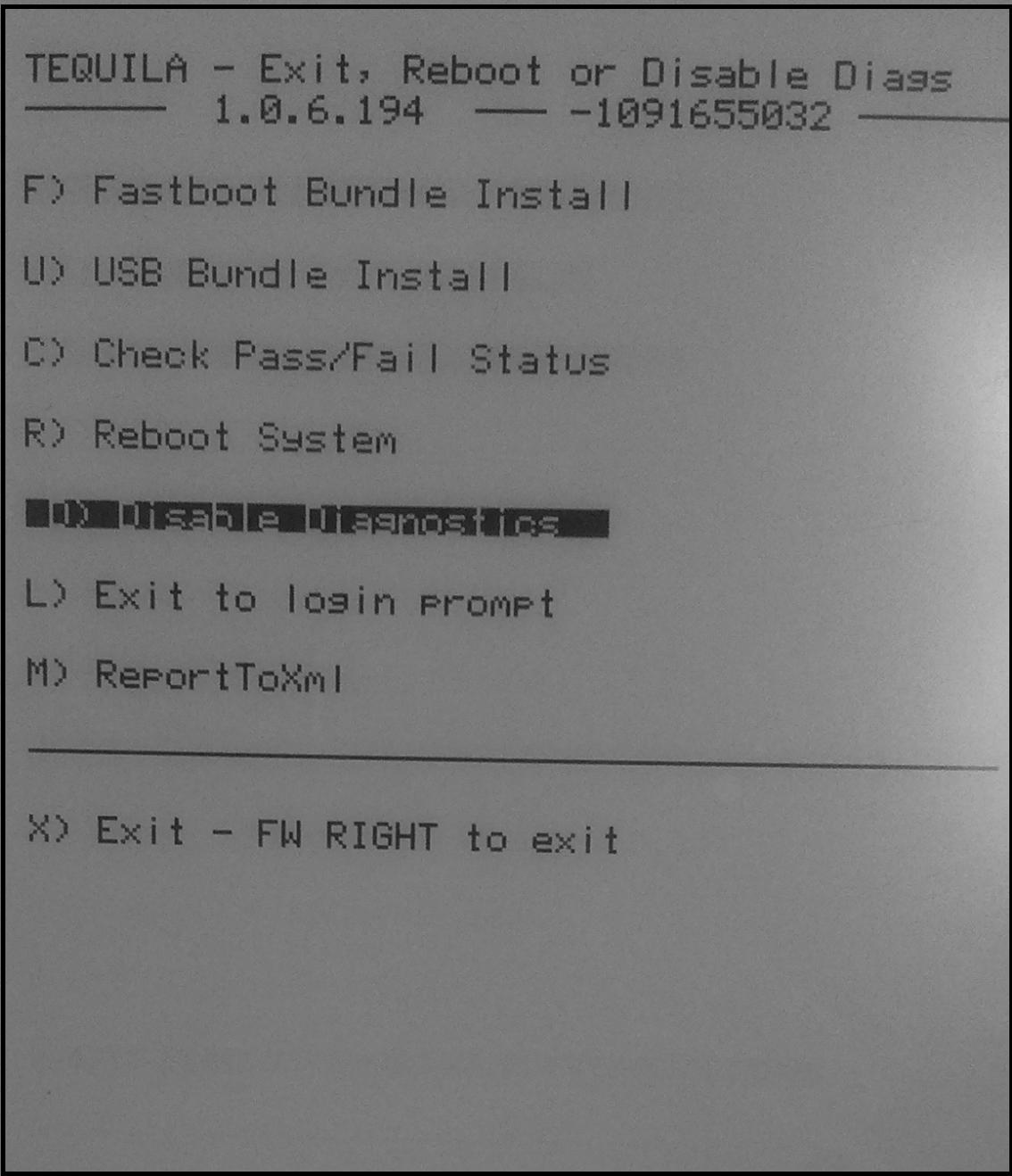
On the next page choose “Q) To continue”

The auto Installer should start. When it doesn’t just press the left key several times and repeat the procedure.


Change the system language to English
Touch setting on bottom right

Just Select the desired language and your Duokan Installation should be in your language.
Switch To Kindle os

Change screensaver
Location pic ScreenSaver duokan : F:\DK_System\xKindle\res\ScreenSaver


Example Duokan Kindle Touch (2014)


วันอาทิตย์ที่ 1 มิถุนายน พ.ศ. 2557
Install english Duokan (25-04-2014) on your Kindle 4
Download Duokan Kindle4 (2014) :

Coping Files to root directory of the kindle
-------------------------------------------------------------------------------------------------------
Go to the settings menu:
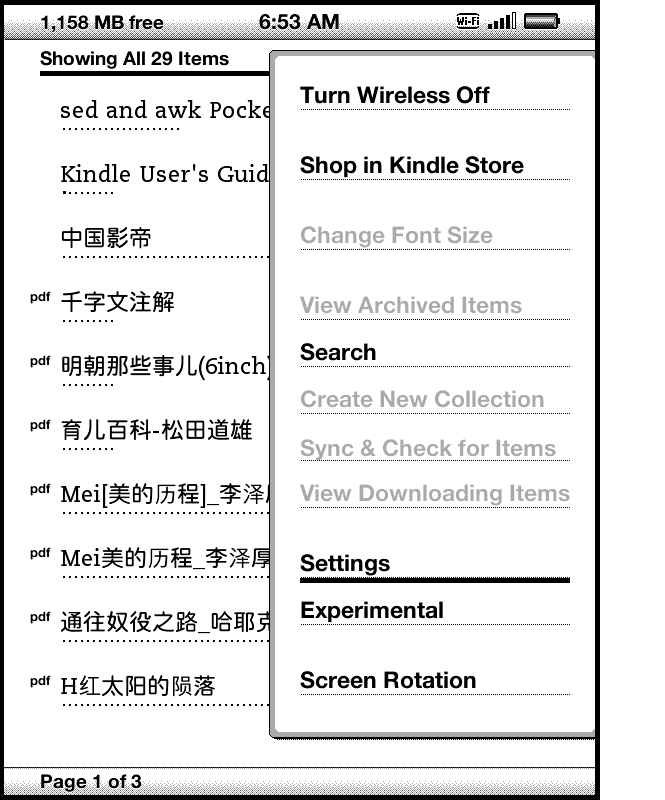
Press the menu button to show the restart option:

Installing Duokan 2014
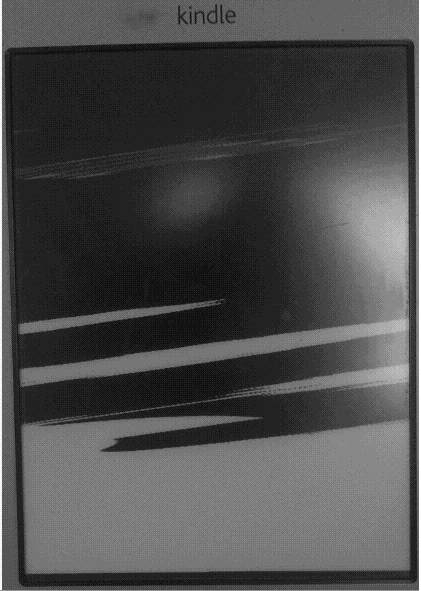
Your Kindle should restart in the Debug Mode (the “broken” screen is normal):
With the help of the 5 way button you can choose: “D) Exit, Reboot or Disable Diags”
Than choose “D) Disable Diagnostics”
On the next page choose “Q) To continue”
The auto Installer should start. When it doesn’t just press the left key several times and repeat the procedure.


Change the system language to English
Click on the menu button and obviously new menu should appear:


Just Select the desired language and your Duokan Installation should be in your language.
Switch To Kindle os


Change screensaver
Location pic ScreenSaver duokan : F:\DK_System\xKindle\res\ScreenSaver

Example Duokan Kindle4 (2014)


 |
| kindle os |
 |
| duokan os |
สมัครสมาชิก:
บทความ (Atom)